 Rafiq
Rafiq
Features
Everything here ships in the app today. No "coming soon".
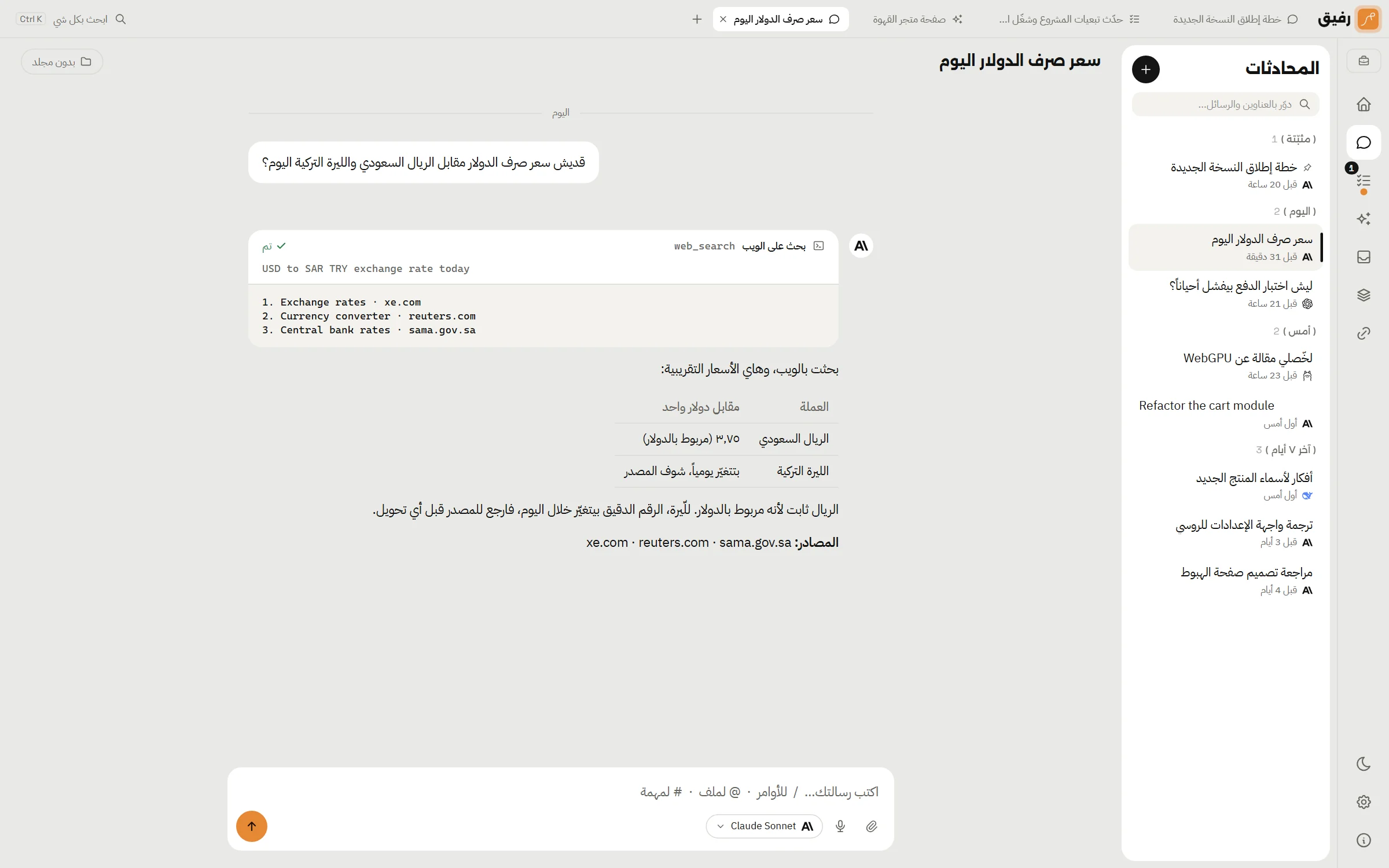
A chat that can do things
Talk to it like a colleague. It reads the files you point at with @, takes images and attachments, and answers in Markdown with highlighted code.
/commands set reply length, language, temperature and reasoning/summarizefolds a long chat into a summary and saves tokens- Edit a question you already sent, or fork the chat from any point
- Dictate straight into the message box from the microphone
- The reply keeps going if you leave the page; come back and it's where it got to
Tasks that run together, not one after another
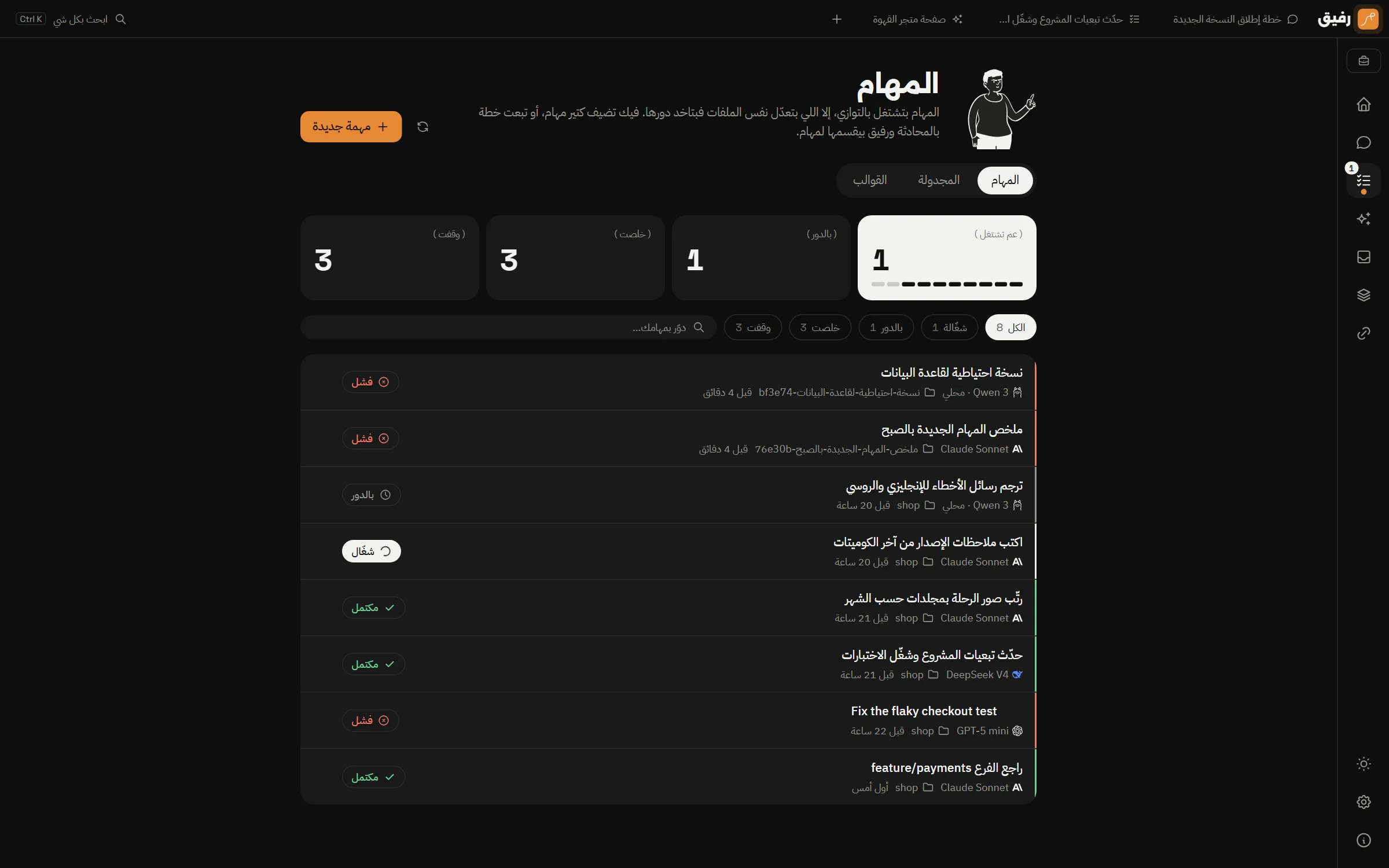
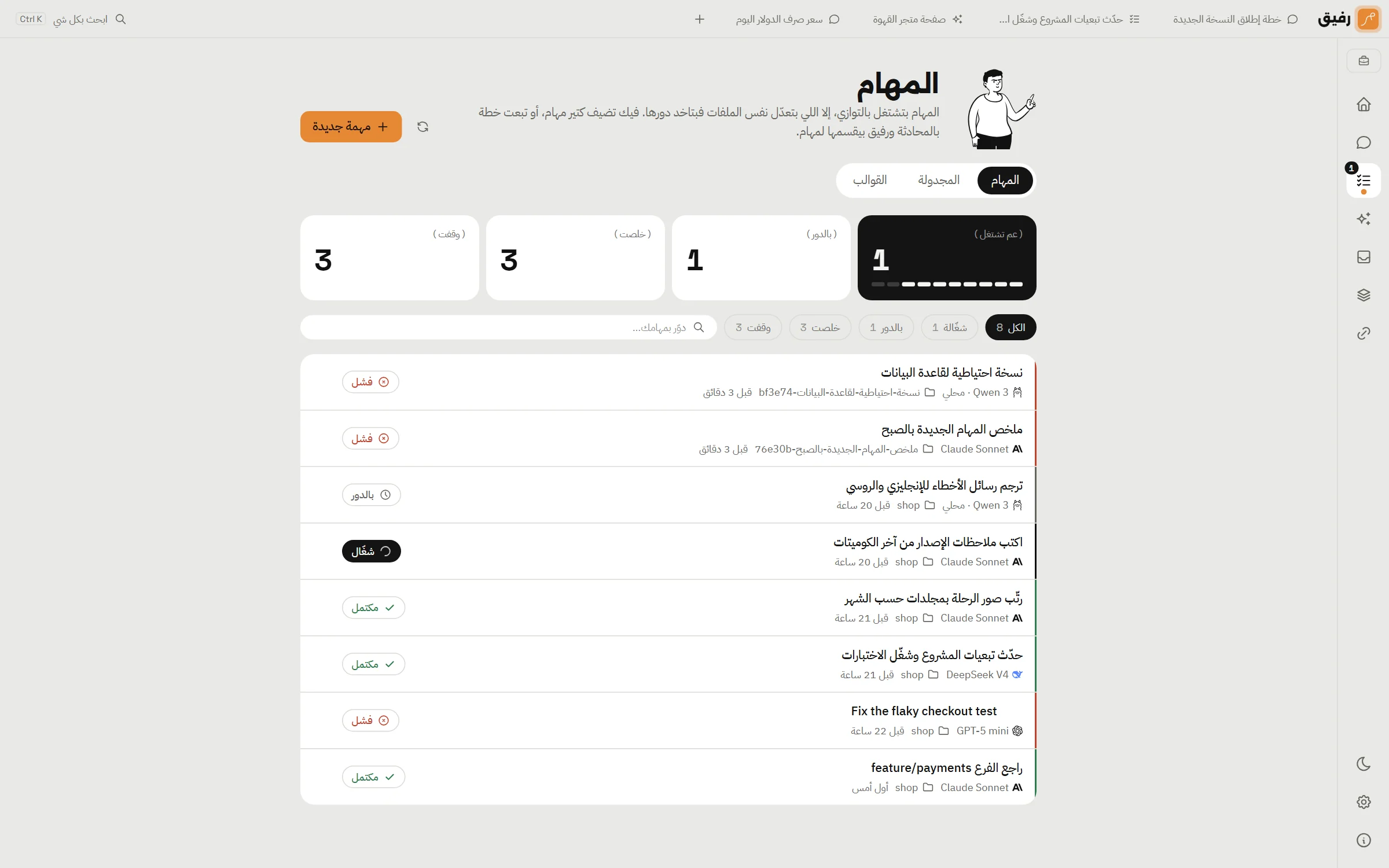
Give it a job and let it finish on its own in your folder. Or send a plan in chat: it splits the plan into tasks, shows each one's status inside the conversation, and waits for the results to carry on.
- Up to 100 tasks at once; the limit is yours
- Tasks touching the same files take turns automatically
- A task can wait for another to finish first
- A separate model for tasks: plan with the strong one, execute with the cheap one
- A full transcript of every step, and one-click re-run
- A Windows notification when a task finishes or needs your approval
An isolated git worktree per task
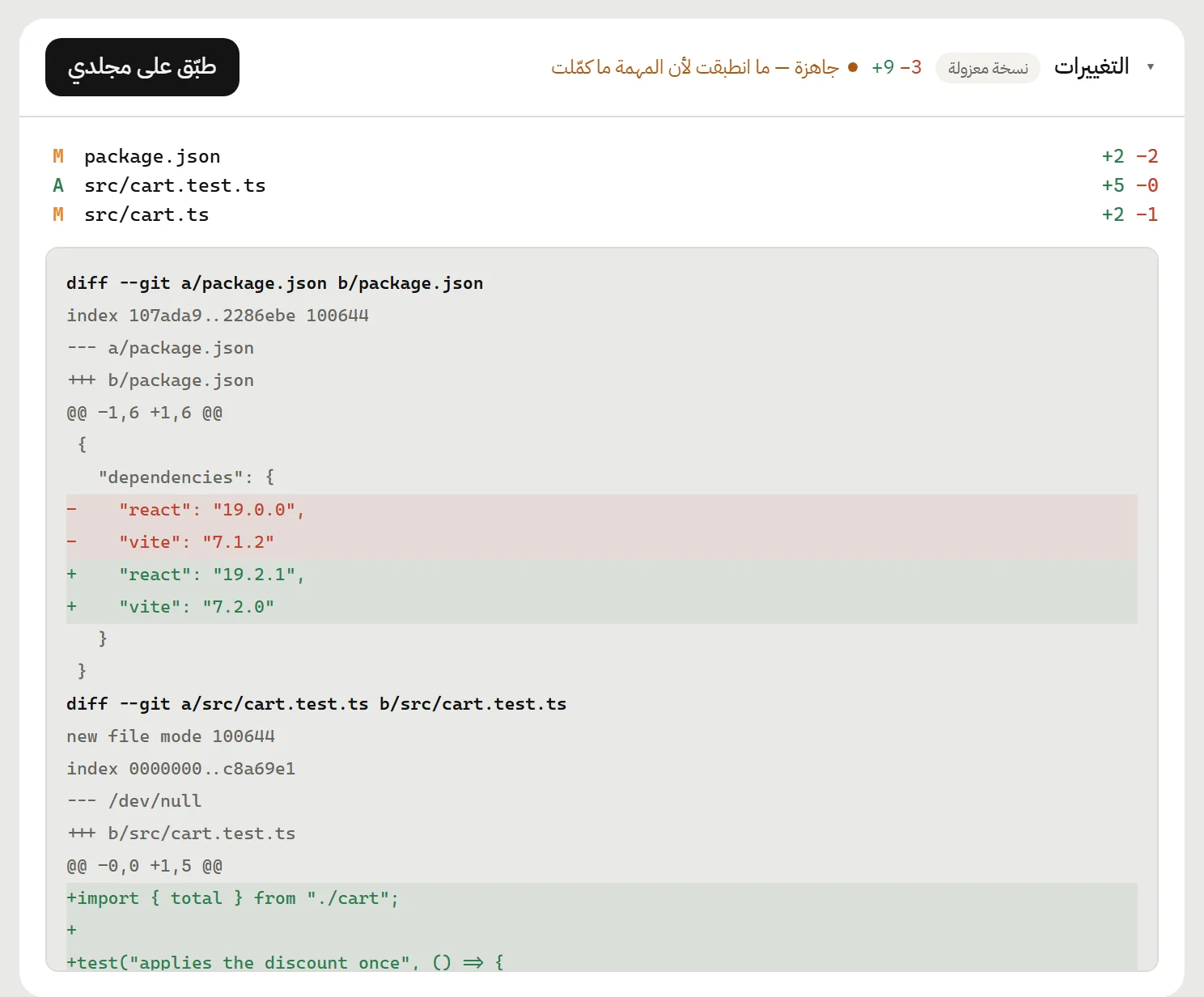
When the folder is a git project, each task works in its own worktree, taken from your folder exactly as it is, uncommitted files included. So tasks on the same project run side by side without stepping on each other.
- A changes panel on every task: files, diff, line counts
- Revert everything the task did with one click
- Changes that didn't apply cleanly can be merged with conflict markers
- Rafiq never commits to your branch
Design before you build
/impeccable init asks nine questions about the project, then opens a design session: chat on one side, a live preview on the other at phone, tablet and desktop widths. The design skills are bundled and work with every model.
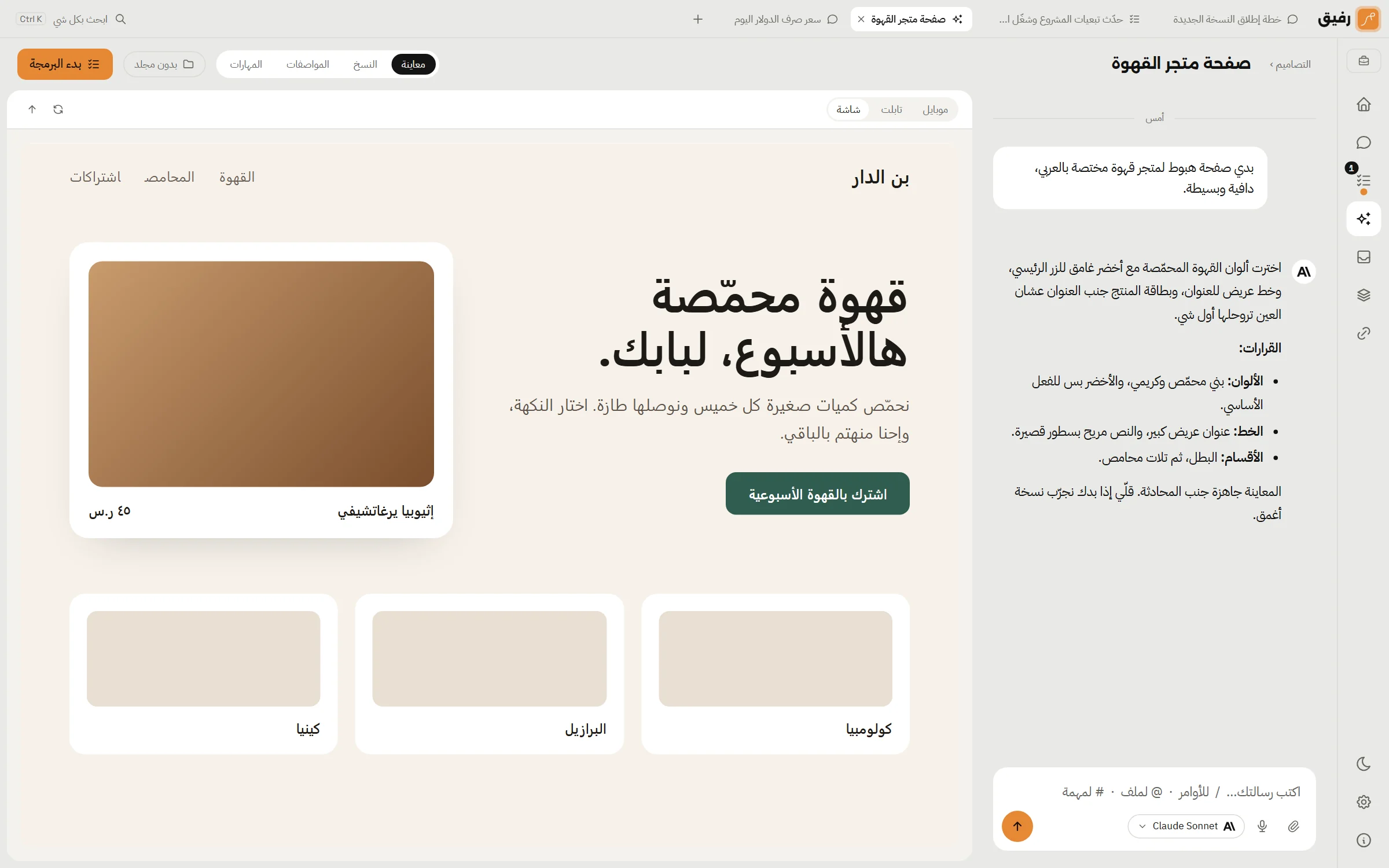
- Multi-page designs, with links opening inside the preview
- Every version saved as an HTML file in your folder
- One button hands the design to the chat or task that will build it
- Your own skills: add a folder with a SKILL.md and you're done
The tools it gets
Every tool is classified: read-only, write, or execute. Writes and executes go through your permission policy.
Files and commands
Read, write and delete inside the chat's or task's folder, shell commands with a timeout, and process management.
The web
web_fetch reads any page or PDF as clean text with its links. web_search searches through Brave, Tavily, or your own SearXNG server.
A real browser
Microsoft Edge with its own profile: opens pages, clicks, types, reads and screenshots. Made for testing your site on localhost.
The desktop
Off by default. When you turn it on: screenshots, mouse and keyboard on any app, one task at a time.
MCP servers
Connect any Model Context Protocol server (a local command or HTTP) and its tools reach the model behind their own permission.
Issue trackers
Jira, Linear, GitHub Issues and GitLab: the issues assigned to you in one place, to discuss in chat or turn into a task.
Your model, wherever it lives
An API key, a GitHub Copilot account, or a local model on your machine. Rafiq lists the models and checks that they answer before saving them.


- A fallback model per agent: if the provider goes down, the request goes to the backup on its own
- A cap on concurrent requests per key, and retries when the provider pushes back
- Azure, Bedrock and Vertex with their own fields: region, deployment, service account
- Claude models use prompt caching automatically, so long chats cost less
- Ollama and LM Studio with no key at all, and any server that speaks the OpenAI format
Works while it's closed
Close the window and Rafiq stays next to the clock: tasks carry on, scheduled ones start on time, and you get a notification when one finishes or needs you.
- Scheduled tasks: every few minutes, daily at a time, or on chosen days
- Templates for the tasks you repeat, four included
- Starts with Windows if you enable it
- When you really quit, it leaves no process running behind
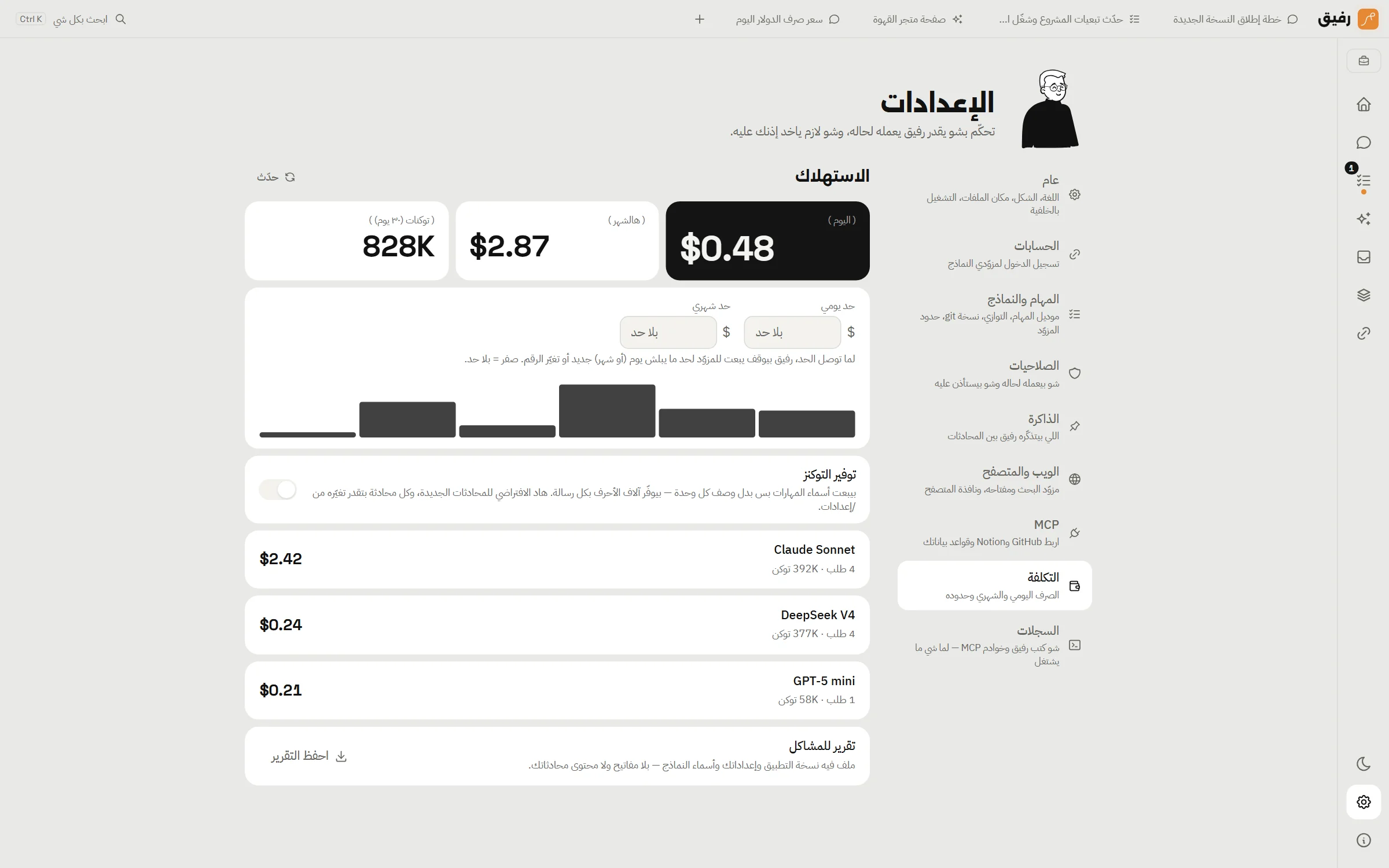
Cost, out in the open
Every call is recorded: prompt, completion and cached tokens, priced from the provider's own rate table. You see today, this month, the last thirty days, and a breakdown per model.
- A daily and a monthly limit in dollars; Rafiq stops when you reach one
- Models with no known price are counted in tokens only, no invented numbers
- A diagnostics report as JSON: app version, settings and provider names, with no keys
Ready? Half a minute and it's yours.
One installer, no account. Then add a model key and start.